


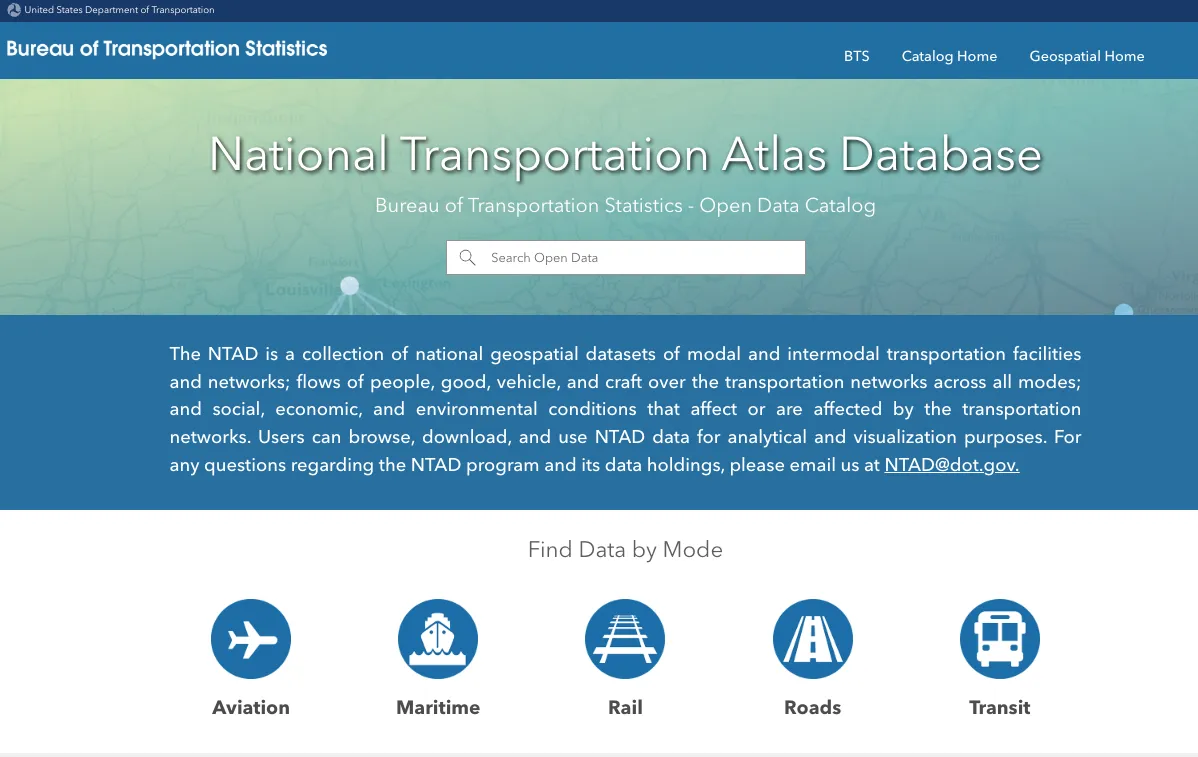
The National Transportation Atlas Database, an unnoticed yet significant force, determines the reliable transportation routes across the United States, evaluates aviation safety and freight congestion, and coordinates the gradual railway upgrade while taking environmental impact into account, but still, it is unknown by the majority. NTAD, despite being the most comprehensive federal geospatial dataset on transportation, is still very much underutilized beyond the narrow group of specialized users.
If you are a researcher, journalist, analyst, or planner in the public sector, this guide will communicate the importance of the NTAD to you. It will indicate the methods of accessing the data as well as the ways of using it efficiently, devoid of any exaggeration and by not presuming that you are already acquainted with GIS.
This article uses real datasets from the U.S. Bureau of Transportation Statistics, available via the official National Transportation Atlas Database.
What Exactly Is the National Transportation Atlas Database?
At its core, the NTAD is a nationally curated collection of geospatial datasets describing:
- Transportation networks (roads, rail, aviation, transit, maritime)
- Transportation facilities (airports, stations, ports, terminals)
- Intermodal connections
- Freight and passenger flows
- Environmental, social, and economic factors that influence or are influenced by transportation
- Performance, safety, and infrastructure condition indicators
The U.S. Bureau of Transportation Statistics defines NTAD as:
“A collection of national geospatial datasets of modal and intermodal transportation facilities and networks; flows of people, goods, vehicles, and craft; and social, economic, and environmental conditions that affect or are affected by transportation.”
— BTS NTAD Program
Every dataset is designed to be analysis-ready, meaning you can load it into GIS tools (ArcGIS, QGIS), transportation modeling platforms, or Python/R workflows without extensive cleanup.
How the NTAD Data Portal Works (A Practical Walkthrough) and Why NTAD Stands Out Among U.S. Open Transportation Databases
Several federal datasets cover transportation—but NTAD is unique because:
1. It brings everything together in one standardized geospatial environment
Instead of searching multiple agencies (FAA, FHWA, FRA, FTA), NTAD unifies the data.
2. It captures both infrastructure and flows
Most datasets focus on facilities or traffic. NTAD includes both.
3. It’s updated regularly and consistently
BTS releases seasonal and annual updates. The 2025 Fall Update, for example, added new boundary layers, revised airport geometry, and refreshed highway and transit layers.
4. It’s completely public and free
Unlike many industry GIS feeds or proprietary planning tools.
5. It supports advanced national-scale analysis
Examples include evacuation modeling, supply-chain studies, multimodal planning, and climate impact assessments.
Where to Access National Transportation Atlas Database (Direct Official Source)
You can explore, search, filter, view, and download all NTAD datasets here:
👉 https://geodata.bts.gov/
(Official BTS geospatial data hub)
There is no login required, and the datasets are available in multiple formats:
- Shapefile
- GeoJSON
- File Geodatabase (FGDB)
- REST map services (for ArcGIS and web apps)
How the National Transportation Atlas Database Data Portal Works (A Practical Walkthrough)
When you load the NTAD portal, you’ll immediately notice three key navigation paths:
1. Search by Mode
If you type “airport” or “rail” into the search bar, NTAD instantly filters datasets related to that mode.
Supported modes include:
- Aviation
- Maritime
- Rail
- Roads
- Transit
Example:
Searching “airport” retrieves datasets such as:
- National Airports
- Public-Use and Military Airports
- Runway Geometry
- Airport Enplanements
These datasets align well with other guides on TheDatabaseSearch.com—if you’re researching aviation data, you may also find value in the TravelingWiki Airport Database:
👉 https://thedatabasesearch.com/esg-databases/travelingwiki-airport-database/
2. Search by Category
NTAD’s curated categories help new users quickly identify the right data for analytical tasks:
- Boundaries (metro areas, counties, regions)
- Energy and Environment (alternative fuel corridors, emissions-related layers)
- Freight (truck routes, freight analysis frameworks)
- Passenger Movement (transit stops, intercity rail, airports)
- Performance and Safety (hazardous materials, crashes, reliability data)
- Transportation Infrastructure (bridges, roads, pipelines, railways)
Example use cases:
- An ESG researcher evaluating climate impact might pull Alternative Fueling Stations or National Highway System.
- A journalist covering freight congestion may use FAF Freight Tonnage or Intermodal Facility Locations.
- A city planner analyzing evacuation routes would reference National Highway Planning Network (NHPN).
3. Dataset-Level Detail Pages
Each dataset page contains:
- A description written by BTS analysts
- Full metadata (accuracy, fields, coordinate system)
- Download formats
- REST endpoints for web mapping
- Update timestamps (critical for time-sensitive reporting)
- Data dictionary
This transparency is one reason professionals trust NTAD—it is one of the few U.S. transportation databases with truly complete documentation.
What You Can Actually Do With National Transportation Atlas Database (Real-World Examples)
Below are examples pulled from real transportation planning and research workflows across the United States.
Example 1: Aviation Capacity and Safety Analysis
By combining:
- National Airports Dataset (NAD)
- Runway Geometry
- Airport Enplanement Data
You can analyze:
- runway length sufficiency,
- regional air travel demand,
- potential congestion risks,
- emergency diversion options.
This type of analysis complements other aviation-related tools such as the TravelingWiki Airport Database, which provides structured airport profiles for contextual research.
Example 2: Freight Corridor Planning and Supply Chain Resilience
Using:
- National Highway Planning Network (NHPN)
- FAF Freight Flows
- Intermodal Facility Locations
Analysts have identified:
- truck bottlenecks before they turned into major congestion events,
- rail-to-truck transfer hubs critical to agricultural exports,
- vulnerabilities in port-to-rail corridors during extreme weather.
Example 3: Environmental Justice & Transportation Equity
By integrating NTAD datasets with Census ACS data:
- Transit Routes
- Transit Stops
- Urbanized Area Boundaries
Researchers have mapped:
- transit deserts,
- neighborhoods with disproportionate travel times,
- communities exposed to higher transportation-related pollution.
Example 4: Emergency Response & Evacuation Planning
Fire, hurricane, and flood response units use:
- Road Network Data
- Bridge and Tunnel Locations
- Hazardous Materials Routes
to model:
- evacuation capacity,
- critical infrastructure dependencies,
- alternate routing in disaster scenarios.
Filtering the National Transportation Atlas Database: How Professionals Narrow Their Search
The NTAD portal includes intuitive filters:
- By Format (Shapefile, GeoJSON, REST Service)
- By Update Date
- By Category
- By Mode
- By Publisher (e.g., FAA, FHWA)
Example:
A user searching for “rail” can filter by:
- Mode: Rail
- Category: Transportation Infrastructure
- Update Date: Past 1 year
Result: a curated set of current U.S. rail network datasets ready for GIS modeling.
Strengths and Weaknesses of National Transportation Atlas Database (Objective Expert Assessment)
Strengths
- National coverage ensures analytical consistency
- High-quality metadata improves reliability
- Regular updates (seasonal/annual)
- Truly open data—free, no API key
- Intermodal integration across rail, road, air, and maritime
- Compatible with all major GIS systems
Limitations
- Some datasets lag behind real-time changes (e.g., airport construction updates)
- Freight datasets may not capture proprietary carrier information
- Environmental layers vary in granularity
- Requires basic GIS literacy to unlock full potential
Who Benefits Most From National Transportation Atlas Database?
NTAD is regularly used by:
- State DOTs
- Urban planners
- Transportation researchers
- Environmental and ESG analysts
- Journalists covering infrastructure or safety
- OSINT and public policy investigators
- Civil engineers and consultants
If your work touches transportation networks—even indirectly—NTAD likely holds a dataset that can save you weeks of manual data collection.
Conclusion: National Transportation Atlas Database Is an Underestimated Asset for Anyone Analyzing U.S. Transportation
The National Transportation Atlas Database has transitioned from a simple map repository to a major and critical resource for the United States in terms of visualization, analysis, and understanding of human mobility and goods flow, while also being able to see the impact of and interaction between transportation networks and environment and economy through this resource.
Its value lies in its consistency, national scale, and data transparency, making it one of the most dependable—and most overlooked—resources in U.S. public data.
If you haven’t explored it yet, start here:
👉 https://geodata.bts.gov/
Sources (Expert-Level)
- Bureau of Transportation Statistics (BTS): National Transportation Atlas Database (NTAD) – https://geodata.bts.gov/
- BTS NTAD Program Overview – https://www.bts.gov/ntad
- TravelingWiki Airport Database (internal link) – https://thedatabasesearch.com/esg-databases/travelingwiki-airport-database/
This article was created with AI assistance and reviewed by a human editor.

