


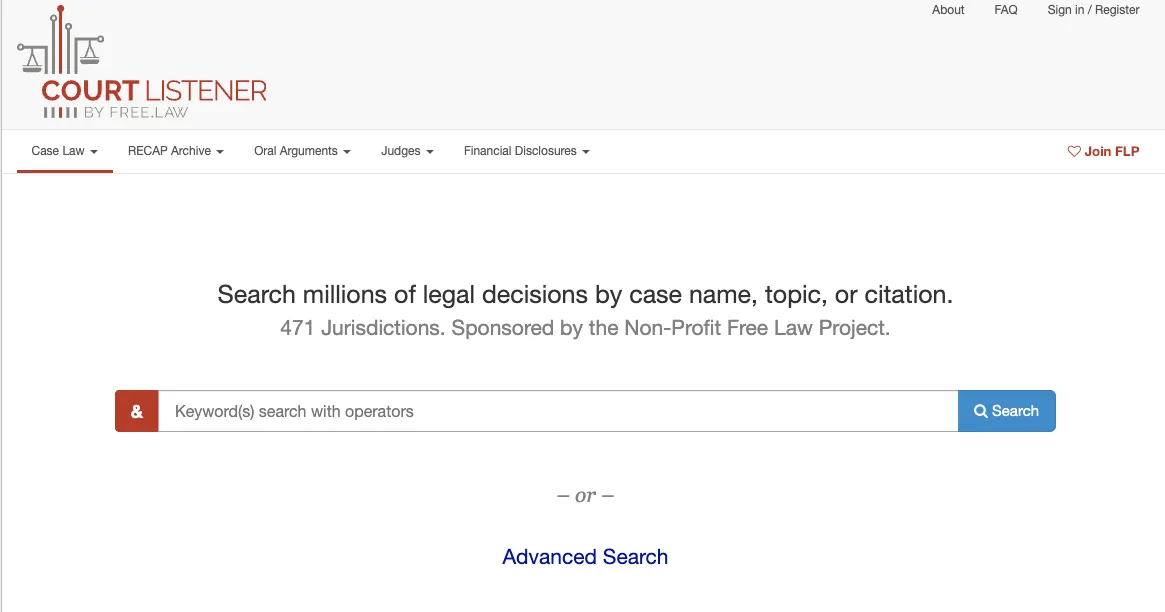
Most people assume court records are already public and easy to reach. In practice, they usually aren’t. The federal judiciary charges by the page. Much of the country’s case law has long lived behind expensive publisher subscriptions. CourtListener exists to close that gap. It is a free, searchable archive of legal opinions, federal filings, and oral arguments. And it was built by a small nonprofit, not a government agency or a corporation. For anyone trying to read what a judge actually wrote, that difference matters.
This guide explains what CourtListener really is and how its search tools work in practice. It also covers who relies on it. Just as important, it looks at where the database falls short before you trust it for serious research.
What Is CourtListener?
CourtListener is a legal research website and data provider. It is operated by the Free Law Project, a 501(c)(3) nonprofit. The numbers come straight from the site’s own frequently asked questions. The collection includes more than 10 million legal opinions from federal, state, and specialty courts. It holds roughly 17 million documents pulled from the federal PACER system. It also carries over 3.4 million minutes of oral argument recordings and a database of more than 16,000 judges. On top of that, it hosts judicial financial disclosures — the annual filings that show what federal judges own and owe.
The project’s origins are unusually humble. CourtListener began in 2010 as Michael Lissner’s capstone project at the University of California, Berkeley School of Information. It launched as a simple alert service for the federal appeals courts. In 2013, Lissner and his advisor Brian Carver formed Free Law Project to give the effort a home. It started with about 130,000 opinions. Today it is one of the most comprehensive open collections of U.S. case law anywhere.
The Problem CourtListener Actually Solves
To understand why CourtListener matters, you have to understand PACER. PACER is the federal judiciary’s system for filings from nearly every federal case. It holds over a billion records. But it was built for lawyers and automated commercial tools, not the public. It is hard to navigate, and it charges per page. Those small fees add up fast for anyone doing real research.
CourtListener attacks this on two fronts. Its case law collection makes published opinions freely searchable. Its RECAP Archive chips away at the PACER paywall. RECAP is a browser extension for Chrome, Firefox, Edge, and Safari. It does two clever things. When you buy a document on PACER, it donates a copy to the public archive. And when you open a document that’s already been contributed, it hands it to you for free. Over time, thousands of users have turned an expensive government silo into a growing free library. It is genuinely smart civic infrastructure, built one purchased PDF at a time.
This model echoes tools we cover in our legal databases guides, where free access and paywalled data constantly compete.
Using CourtListener: A Hands-On Look at the Search
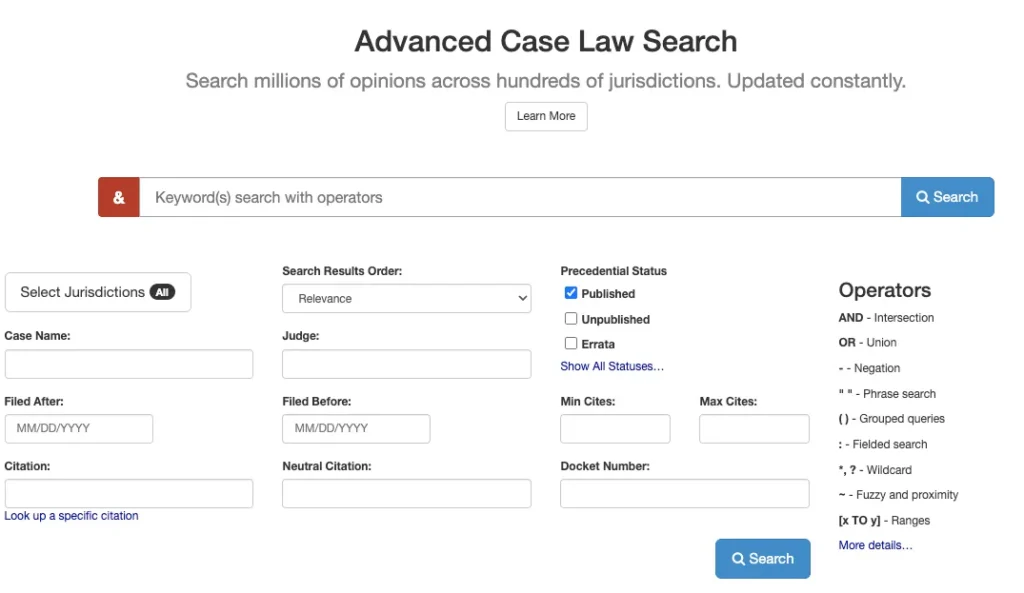
The core experience is straightforward. You enter a keyword, run the search, and CourtListener returns a list of matching opinions. What makes it useful is how much you can refine those results. From the results view, you can reorder and narrow your hits using controls for:
- Search Results Order — relevance, date, and citation-based sorting
- Case Name and Judge
- Precedential Status — published versus unpublished opinions
- Filed After and Filed Before date ranges
- Citation, Neutral Citation, and Docket Number
- Minimum and Maximum citation counts
That last pair is deceptively powerful. Filtering by how many times an opinion has been cited surfaces the influential cases fast. Setting a minimum citation count lets you skip the noise. Most free tools simply can’t do this.
Open an individual result and you get a well-organized case page. In testing, each opinion page pulls together the date, the docket number, and the full opinion text. It also shows the authorities the case relies on and a Cited By list of later opinions that reference it. You’ll find any available summaries, a set of similar cases, and a downloadable PDF. You can also set citation alerts on a case and grab the PDF directly. These small conveniences add up when you track a line of precedent over time.
Advanced Search and Query Operators
Power users get more. The advanced search lets you build a precise query. You select specific jurisdictions and combine fields as needed. Those fields include case name, filed-after and filed-before dates, citation, and neutral citation. You can also filter by judge, precedential status, docket number, search results order, and minimum and maximum citation counts. CourtListener supports fielded search operators and connectors too. That means you can build the kind of targeted queries a paid platform would normally require. If you’ve used advanced filters in our criminal records database guide, the logic will feel familiar.
What Makes CourtListener Different From Other Legal Databases
Free case law sites are not new. Google Scholar and Justia both offer free opinions. Paid services like Westlaw, Fastcase, and LexisNexis dominate the professional market. CourtListener still carves out its own space in a few concrete ways.
First is its citator. The site shows which later opinions have cited the one you’re reading. That is the essential check on whether a precedent is still good law. Many free sites lack it, and it’s usually a premium feature elsewhere. CourtListener pairs it with a relevancy system the project calls CiteGeist.
Second is speed. For the courts it covers, new opinions usually appear within about 30 minutes of being posted on a court’s website. That is far faster than the days or weeks other archives can lag.
Third, and most fundamental, is that CourtListener is open source and open access. Anyone can download the code that runs it. Bulk downloads make the entire collection available for research. The Free Law Project is blunt about why this matters. Earlier efforts to free U.S. case law repeatedly collapsed and vanished. Each time, the next attempt had to start from zero. By making both the software and the data portable, the project hopes to be the last team that ever rebuilds this from scratch. In 2026, it added natural-language semantic search, so users can query case law in plain English.
Who Uses It — and Why It Has Public Value
CourtListener’s users fall into a few clear groups. Lawyers and self-represented litigants research precedent without a subscription. Journalists mine PACER filings and judicial disclosures for investigations. Academics download bulk data to study patterns across millions of opinions. That kind of empirical research is impossible when the underlying corpus is locked away. Legal-technology startups build and test their tools on the collection.
The transparency dimension is real. Judicial financial disclosures let the public scrutinize possible conflicts of interest on the federal bench. That information is technically public, but in practice it was long buried. Making court data genuinely searchable is a form of accountability, not just convenience.
The Limits: Where CourtListener Falls Short
A responsible look at any database has to cover its weaknesses. CourtListener has several worth knowing.
Coverage Is Incomplete
The project’s goal is to put all of U.S. case law online for free. It openly admits it hasn’t gotten there. Its own FAQ tells users to also try Google Scholar, Justia, or a paid service if they come up empty. Treat CourtListener as a strong starting point, not a guarantee.
Duplicate Results Appear
The system automatically harvests opinions from court websites. Courts sometimes post several edited versions of the same opinion. As a result, one case can show up more than once. CourtListener keeps every version on purpose. That helps you spot quiet judicial corrections, but it can also confuse.
Citation Detection Is Narrow
The automatic linking only recognizes citations to court opinions. Citations to statutes, regulations, or law review articles are ignored. So the web of authority you see is real but partial.
Privacy Remains an Ongoing Tension
Court records routinely contain names and personal details. The RECAP Archive surfaces material that was public but hard to find. Free Law Project handles removal requests case by case under a published policy. Even so, the tension between open access and personal privacy never fully disappears. It is a challenge shared by many tools in our public records database coverage.
Verification Isn’t Frictionless
CourtListener generates a digital “fingerprint” for each document it retrieves. That helps it detect changes and corruption. But there’s a catch. You can’t easily confirm that a stored copy is byte-for-byte identical to the court’s original. Courts would need to publish their own fingerprints, and they generally don’t. For most research this is a non-issue. For high-stakes filings, always verify a critical document against the issuing court.
One last caveat matters. CourtListener provides data, not legal advice. It is a research tool. Interpreting what an opinion means for your situation is a job for a qualified attorney.
The Bottom Line on CourtListener
CourtListener is one of the quietly consequential projects in American legal technology. It took records that were technically public but practically locked away. Then it made them searchable, sortable, and free. It adds a citator, near-real-time updates, bulk data, and now natural-language search — features rival tools charge for. Its limits are real. Coverage gaps, occasional duplicates, narrow citation linking, and verification friction all mean it complements professional platforms rather than replacing them. Still, as a free, transparent, nonprofit-run window into how American courts decide cases, it has few equals. For anyone who believes the law should be readable by the people it governs, CourtListener is that principle actually working.

