


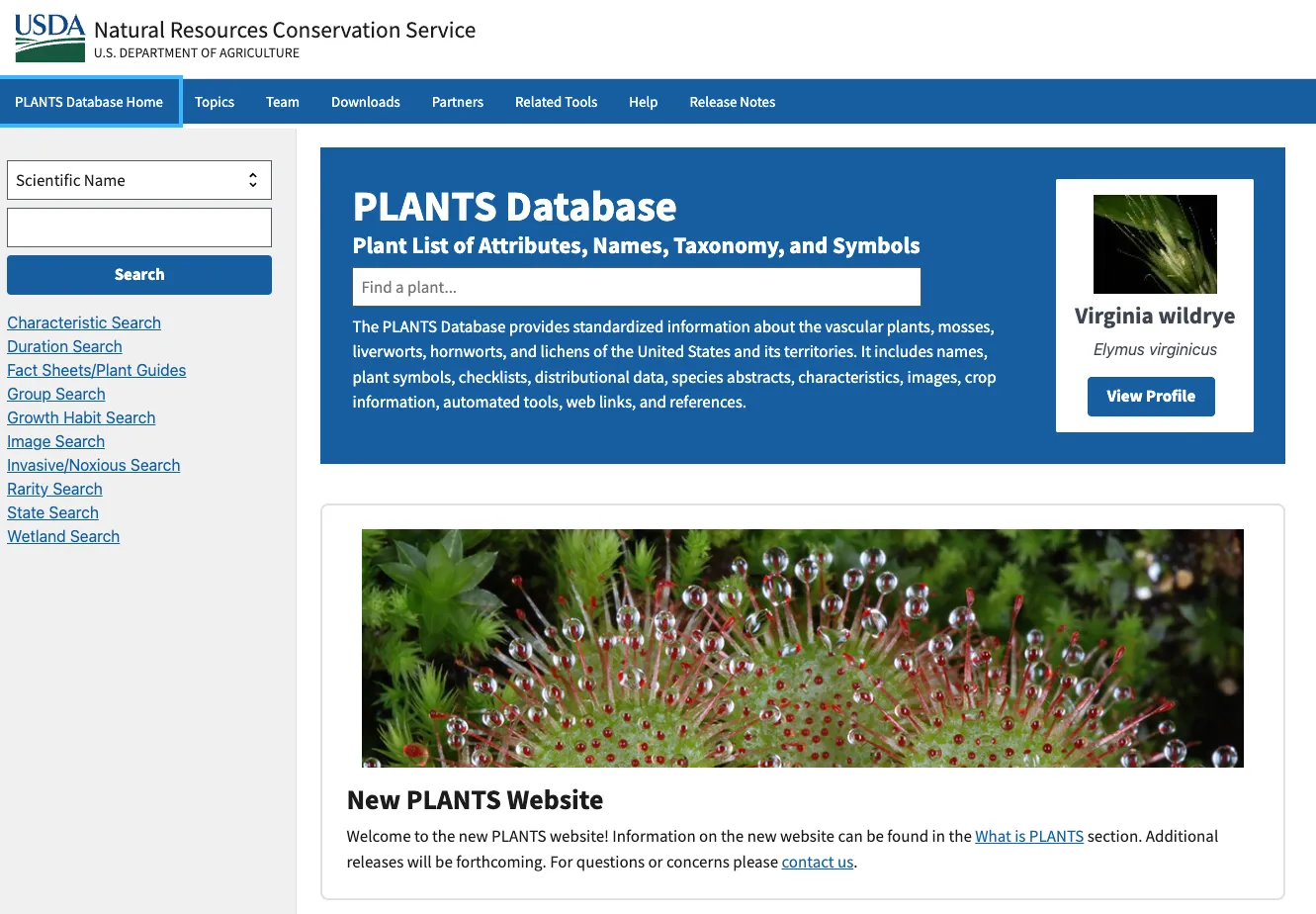
Pick any plant growing anywhere in the United States. One free resource will tell you its scientific name, map where it grows down to the county, and flag whether it counts as native, invasive, or legally noxious. A roadside weed in Ohio, a rare orchid in the Florida Everglades, the oak in your backyard. They are all in there. The USDA plants database, known officially as the PLANTS Database, has quietly served as America’s national botanical reference for more than three decades. Most of the people who would get the most out of it have never heard of it. This guide walks through what it does, who leans on it, where it stumbles, and how to actually search it.
What the PLANTS Database Actually Is
At its core, it is a standardized catalog. The entries cover vascular plants, mosses, liverworts, hornworts, and lichens across the United States and its territories. The National Plant Data Team, part of the USDA Natural Resources Conservation Service (NRCS), keeps it running. Think of it less as a website and more as a national clearinghouse. It pulls plant names, symbols, checklists, distribution data, species abstracts, characteristics, images, crop information, automated tools, web links, and references into one place.
The scale is hard to overstate. Earlier public snapshots of the underlying checklist counted roughly 90,000 records, while the image gallery has climbed past 50,000 photographs. This is not a hobby project. It is genuine infrastructure, and federal, state, and local agencies treat its data as a national standard, as do plenty of private organizations. In turn, the payoff shows up in everyday work. A soil conservationist in Montana and a botanist in Georgia can point to the exact same plant using the exact same code. As a result, no ambiguity sits between them.
The Plant Symbol System: A Hidden Standard
That last point deserves a closer look. The symbol system is one of the database’s most useful features, and one of its least understood. Every plant gets a short alphanumeric code. It is stitched from the opening letters of the genus and species, sometimes with a tie-breaking number tacked on. Two letters from the genus, two from the species. With that shorthand, a field technician can rattle off dozens of species on a datasheet, never once spelling out a full Latin name.
None of this is new. The official PLANTS Help documentation traces these symbols way back. They first surfaced in the Soil Conservation Service’s National List of Scientific Plant Names, published in 1971 and revised in 1982. So the codes you search today carry more than fifty years of continuity behind them. For anyone running vegetation surveys, that stability is worth a great deal. It lets a dataset gathered in the 1980s line up cleanly with one gathered last spring.
Who Actually Uses the Plants Database
The user base is wider than most people assume. While the database exists mainly to support land conservation, the USDA openly welcomes academic, educational, and general use too. I have spent a fair amount of time digging through public reference resources. In my experience, pairing official authority with this much open access is genuinely uncommon.
A few groups turn to it again and again:
- Conservation professionals and land managers, who need solid native-status and distribution data before any planting or restoration work begins.
- Botanists and ecologists, who lean on standardized names and symbols to keep field datasets clean and comparable.
- Researchers and graduate students, who cite it as a taxonomic baseline.
- State agricultural agencies, which pull invasive and noxious-weed lists straight from it for regulatory decisions.
- Gardeners, landscapers, and plain curious citizens, who just want to ID a plant or check whether it belongs in their region.
There is also a quieter purpose baked into the design. By letting agencies and disciplines swap plant information through one shared system, PLANTS cuts down on duplicated effort and, with it, public spending. It is an unglamorous argument, but that efficiency is a big reason the resource has lasted as long as it has.
Plants Database Records: What You Can Find on a Single Entry
Open up an individual species profile and you will find everything arranged in a predictable layout. That consistency is a quiet strength: learn how to read one record and you can read all of them. Here is what a typical profile holds.
General Information
The top section lists the plant symbol, its group, its duration, its growth habit, and its native status. For a lot of visitors, native status is the whole reason they came. A landscaper picking species for a pollinator garden can confirm native status in seconds, before committing to anything.
Distribution Map and Downloadable Data
Every profile carries a distribution map showing where the species turns up, usually right down to the state and county. The genuinely useful part sits one click away: a Download Distribution Data function that exports the raw records. So the map is not just something to look at. It is a working dataset you can pull into your own analysis.
Classification
The classification block spells out the full taxonomic ladder: kingdom, division, subdivision, class, subclass, order, family, genus, species. Why bother with all of it? Plant names drift as the science advances. A clear hierarchy lets you keep tracking a species even after its accepted name gets swapped out.
Related Links and Images
Most records also include a Related Links section pointing out to other resources, and many come with photographs. Not every species has an image attached, though. So keep that in mind before you treat the database as a visual ID tool.
How to Search the Plants Database Effectively
This is where a little practice pays off, because the search is genuinely flexible once you get the hang of it. You can come at it through the Plant List of Attributes, Names, Taxonomy, and Symbols. In short, you can start from almost any scrap of information you already have. Beyond the basic name lookup, there is a whole toolkit of specialized searches:
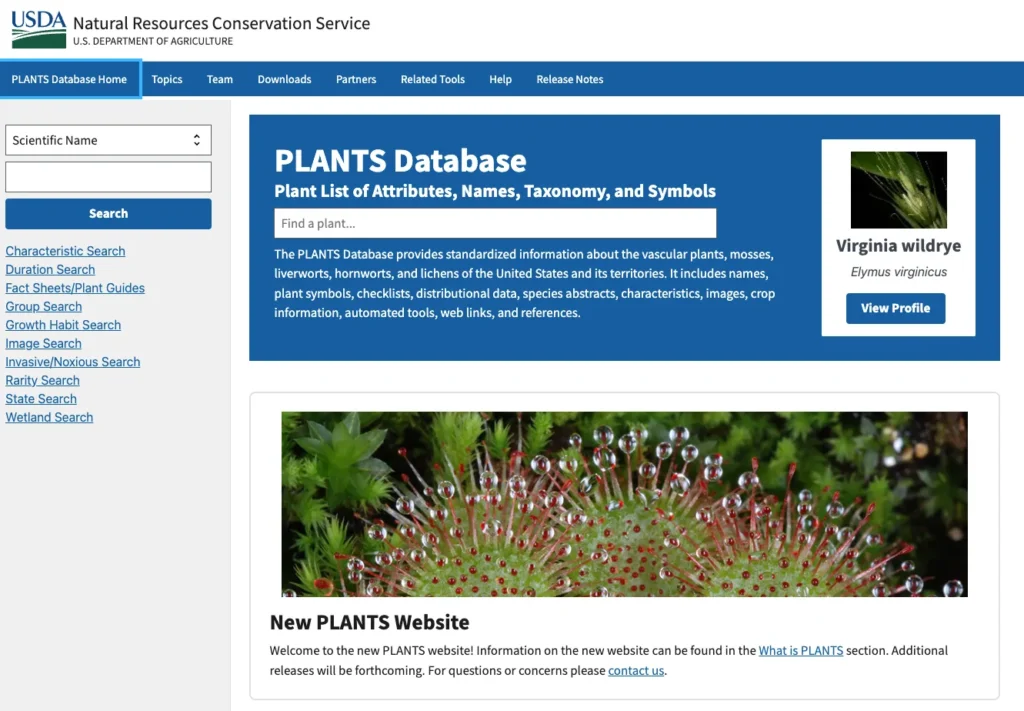
- Characteristic Search – match plants against more than 80 NRCS conservation plant characteristics.
- Duration Search – filter by annual, biennial, or perennial life cycle.
- Growth Habit Search – narrow results by form, such as tree, shrub, or forb.
- Group Search – separate vascular plants from mosses, lichens, and other groups.
- Invasive/Noxious Search – surface plants flagged under federal or state regulatory lists.
- Rarity Search – find threatened and endangered species.
- State Search – list everything recorded in a given state or province.
- Wetland Search – filter by wetland indicator status.
- Image Search and Fact Sheets/Plant Guides – locate species with visual or written documentation.
One trick from regular use is worth passing along: the search accepts a wildcard character for partial matches. Drop a wildcard between two word fragments and it returns every common name that fits the pattern. That saves you when a plant’s name is only half-stuck in your memory. Once the results load, side filters let you narrow by duration, group, growth habit, nativity, rarity, state, or wetland region.
What Makes It Different From Other Plant Databases
There is no shortage of plant databases out there, so the obvious question is what makes this one worth your time. A few things genuinely set it apart.
The first is authority. Other resources may be bigger, or slicker. Few carry the regulatory weight of a USDA system that agencies actually use to make decisions on the ground. The second is openness. Public documentation has long stated that the plant information, maps and text included, carries no copyright and stays free for any use. That is unusually permissive for a government dataset. And the third is the symbol system, which layers in a kind of standardization that purely scientific databases often skip entirely.
If you are stitching together a broader research workflow, it slots in nicely alongside other public sources. Anyone working in this space may want to browse the wider collection of science databases covering related ecological and environmental data.
The Limitations You Should Know About
No reference is flawless, and an honest accounting beats a sales pitch. The plants database comes with a handful of real constraints.
Taxonomy is the big one. Plant classification keeps moving, with accepted names shifting as genetic research rewrites long-held assumptions. The USDA’s own documentation concedes that the vascular plant data has been only partially revised, especially native status and name authorities. Moreover, more revisions will keep coming for the foreseeable future. Put plainly, some records can lag behind where the science currently stands. That is why careful researchers tend to cross-check names against companion sources like the Integrated Taxonomic Information System or Flora of North America.
Coverage is the second weak spot. Not every species comes with an image, a fact sheet, or a fully filled-out characteristic profile. The distribution data runs deep, yet it still depends on what contributors have submitted. In practice, a blank patch on a map does not always prove a plant is missing from that ground.
Then there is the interface. The newer website is still rolling out features in stages, and the agency has talked for years about an official public API without ever shipping one. Developers have cobbled together unofficial workarounds in the meantime. Still, the missing supported interface stays a real sticking point for anyone working with the data at scale.
Transparency, Accuracy, and Why It Still Matters
On data quality, the database earns trust for one straightforward reason: it shows its work. The system names its contributors out in the open. The Biota of North America Program supplied the foundational vascular-plant checklist, and researchers at the Université de Montréal donated the Canadian plant data. That visible chain of attribution is exactly what separates a reference you can rely on from an anonymous pile of records.
Privacy, for instance, barely enters the picture here, since the thing being cataloged is plants, not people. The open questions are scientific rather than ethical, and to its credit the USDA is upfront about them. For a resource that quietly underpins millions of decisions, that candor may be its single most valuable trait. Researchers weighing how institutions handle transparency might also compare this against reporting-focused ESG databases, where source attribution plays out along very different lines.
Plants Database: The Final Verdict
The USDA plants database is one of those public tools that almost nobody talks about and almost everybody could use. It is authoritative, genuinely free, and remarkably steady across more than fifty years of data. It is not perfect, of course: taxonomy drifts, coverage thins out in places, and the missing API keeps frustrating developers. Even so, none of that knocks it off its perch. For reliable, standardized information about plants in the United States, it is still the first place worth checking. Spend a little time learning its search tools and its symbol shorthand, and it quietly stops feeling like a government website. What you are left with is closer to a working map of every plant in America, sitting there whenever you need it.
Sources
- USDA PLANTS Database – Official Site
- USDA PLANTS Database – Downloads
- PLANTS Help Documentation (PDF)
- USDA NRCS – National Plant Data Team
- Library of Congress â PLANTS Database Record
This article was created with AI assistance and reviewed by a human editor.

